Agent status and panel
Read coding-agent activity, progress, workspace context, and notifications.
Supaterm keeps agent activity visible without replacing the terminal.
Sidebar status
The tab row reflects the foreground agent session in that pane:
- Running — the agent is processing a turn or using tools.
- Needs input — a permission request, question, or other attention event is waiting.
- Idle — the current turn completed.
Unread badges and notification previews remain available after activity ends. Hover a tab row to inspect the latest notification without switching tabs.
Agent panel
Press Command-I in an agent pane. When the integration supplies the data, the panel can show:
- task and goal progress
- active child agents and their latest detail
- the agent’s workspace directory
- Git branch and changed-line counts
- pull request state and checks
- local web services discovered from listening ports in the agent process tree
Click the directory or branch row to copy its full value. Pull requests, checks, and local service rows open their URLs.
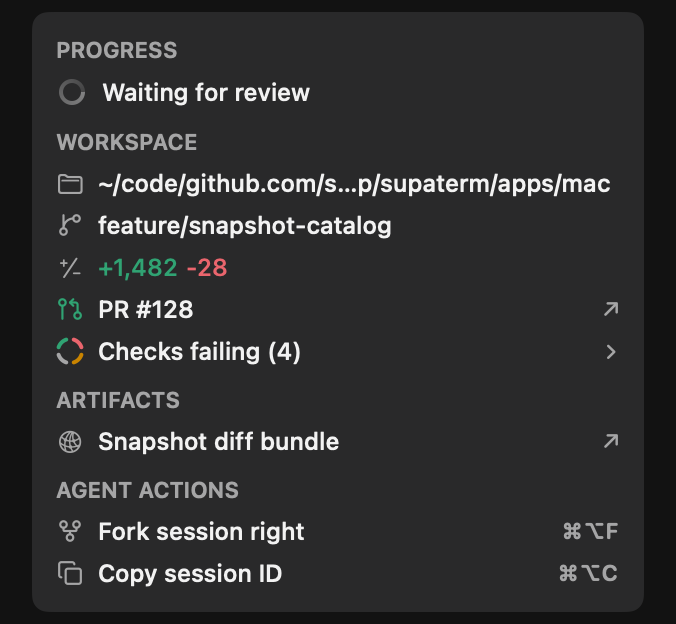
The panel follows the foreground root agent. A child agent cannot replace its parent’s workspace or session actions.
Attention
Enable Settings > Notifications > Glowing Pane Ring to highlight a pane that needs attention. Enable System notifications for macOS delivery.
Turning either presentation off does not discard unread state or badges. See notifications.