First launch
Learn Supaterm's layout, onboarding command, and essential shortcuts.
On a fresh installation, Supaterm opens a terminal and runs sp onboard. You can run it again at any time:
sp onboardLearn the layout
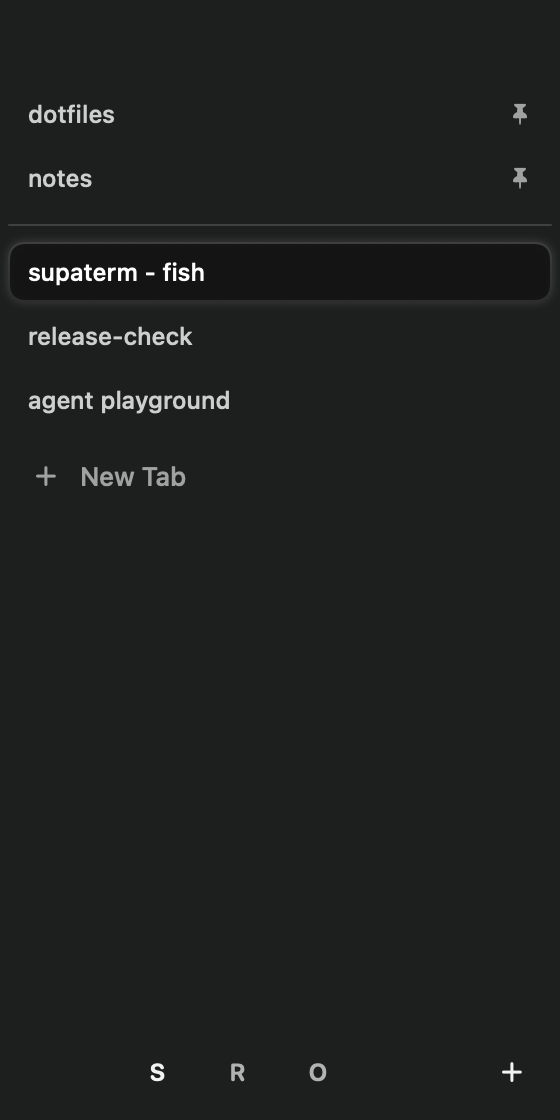
Supaterm has three levels:
- Spaces separate areas of work.
- Tabs live inside a space and can be pinned.
- Panes are split terminal regions inside a tab.
The sidebar shows spaces, pinned tabs, regular tabs, unread activity, working directories, and coding-agent status. Toggle it with Command-S.
Essential shortcuts
| Action | Shortcut |
|---|---|
| Command palette | Command-Shift-P |
| New tab | Command-T |
| Split right | Command-D |
| Split down | Command-Shift-D |
| Find in terminal | Command-F |
| Toggle sidebar | Command-S |
| Toggle agent panel | Command-I |
| Close pane | Command-W |
| Close tab | Command-Option-W |
Open the command palette when you do not remember a shortcut. It searches Supaterm actions, Ghostty actions, spaces, tabs, and panes.